4 min read
To display team colors on your roofline, choose two colors, enter their RGB values in the Trimlight Edge app, and save a custom pattern. Start with the suggested pairs below, then check the lighting after dark. The same numbers can look different on your phone and on outdoor LED diodes.
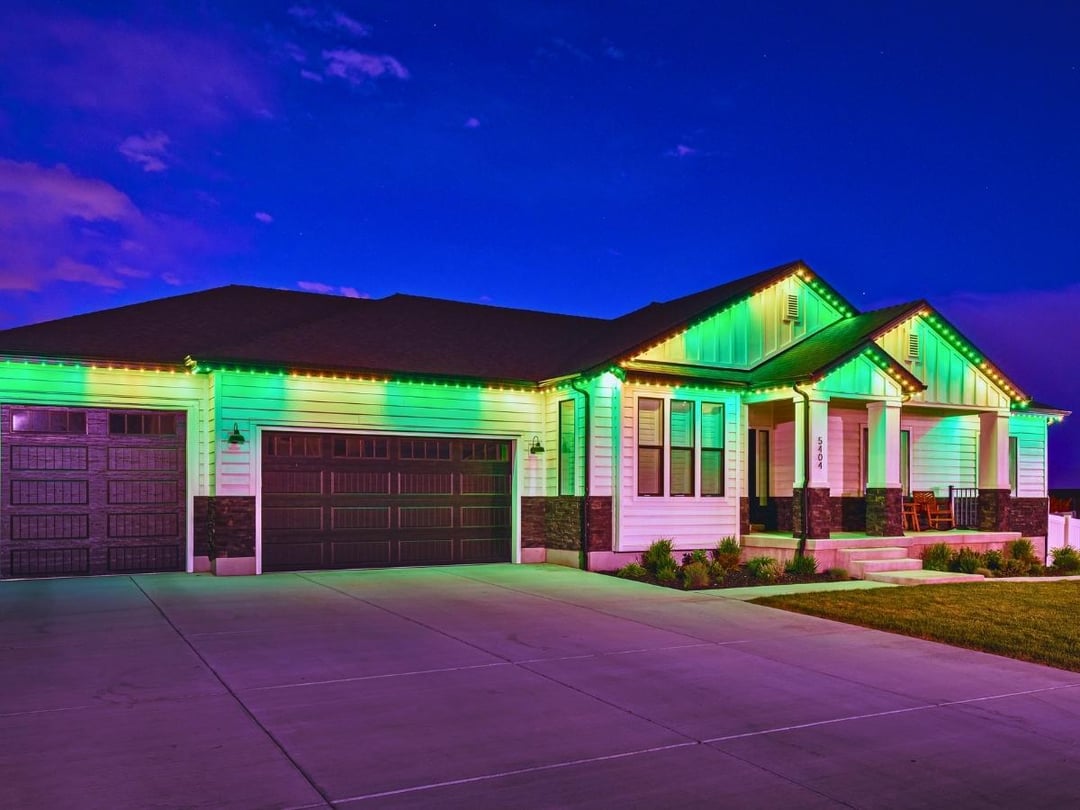
Trimlight makes game-day lighting part of your home's permanent outdoor lighting system. A factory-certified dealer installs the system, and you use the app to change the display for a matchup, a holiday, or an everyday evening. You do not need to reinstall the lights when your colors change.
Key Takeaways
- RGB values specify red, green, and blue amounts, giving you a repeatable starting point when you create team-inspired colors.
- The color pairs below are suggested starting points, not official team codes or guaranteed matches on your installed lighting.
- The Trimlight Edge app lets you enter RGB values directly and save custom colors for use in your lighting patterns.
- Check both colors together after dark, then adjust one color setting at a time so you can compare the results.
- Save your finished pattern with a descriptive name and confirm the display before relying on a game-day lighting schedule.
How Do You Choose Roofline Colors for Your Team?
Choose your team's primary and secondary colors, then use RGB values as a starting point rather than a promise of an exact match. A team jersey, a phone screen, and an illuminated roofline present color differently. Judge your finished pattern on the home where it will run.
Begin with two colors and a static display. That makes it easier to compare the shades before adding movement. For example, check whether your blue looks royal or navy and whether your gold looks amber or bright yellow. Then adjust the individual color that needs attention.
Trimlight's game-day lighting supports custom colors, patterns, and effects. Your display can change between teams and occasions while the installed system stays in place.
Suggested RGB Codes for Team-Inspired Color Pairs
Use these eight RGB pairs to begin a custom roofline pattern. Each set lists red, green, and blue in that order. These are suggested color recipes, not verified official team specifications, team endorsements, or field-tested guarantees. Adjust them to suit your preferred shade.
| Color pair | First color: RGB | Second color: RGB |
|---|---|---|
| Red and navy | Red: 255, 0, 0 | Navy: 0, 34, 90 |
| Royal blue and white | Royal blue: 0, 53, 148 | White: 255, 255, 255 |
| Purple and gold | Purple: 85, 37, 130 | Gold: 255, 199, 44 |
| Red and gold | Red: 255, 0, 0 | Gold: 255, 199, 44 |
| Green and gold | Green: 24, 72, 23 | Gold: 255, 199, 44 |
| Orange and navy | Orange: 251, 79, 20 | Navy: 0, 34, 90 |
| Black and gold | Black (off): 0, 0, 0 | Gold: 255, 199, 44 |
A row may suit more than one team's general palette. If you want to match a particular organization, compare against that organization's own published color reference before making adjustments on your roofline.
How Do You Enter RGB Colors in Trimlight Edge?
Enter RGB values through a custom color circle in the Trimlight Edge app. Trimlight's custom color instructions confirm that you can choose a shade from the spectrum or type the RGB numbers directly.
- Open your system's color palette in the Trimlight Edge app.
- Locate a color circle outside the gray line box and long-press it.
- Enter the red, green, and blue values in the pop-up color picker.
- Select OK to save the custom color to that circle.
- Repeat with another custom circle for your second color.
Saving each shade gives you a reusable palette. You can compare nearby color settings without starting over every time you build a new game-day display.
How Do You Build and Save a Game-Day Pattern?
Arrange your custom colors into a pattern, preview the output, and save the finished design for reuse. Trimlight's programming tutorials show color selection, pattern arrangement, animation adjustment, previewing, and saving.
Begin with a static arrangement so the colors are easy to evaluate. After the shades look right, try a fade or another available effect if you want movement. Keep a static version too, giving you a quieter option for the same color pair.
Name saved patterns clearly, such as your team's name followed by any animation of your choosing. If you follow several teams, distinct names help you select the correct display before a game.
How Should You Adjust Brightness and Color After Dark?
Check your game-day pattern from a safe, ground-level viewing position after sunset, then adjust brightness and color separately. Your roofline is the useful reference, not just the preview on your phone.
Compare the Two Colors Together
View both colors in the same pattern before deciding that a shade needs changing. A white accent or a bright second color can affect how you judge the display. Check from your driveway or sidewalk without entering the roadway.
Change One Setting at a Time
Adjust brightness first to a level appropriate for your home and neighbors, then compare the colors again. If a shade still needs work, change one RGB value in small increments. Keep a screenshot of your starting values so you can return to them.
Confirm the Saved Pattern and Schedule
Reopen your saved pattern to confirm it displays the colors you intended. If you use scheduling, check the start and end times against the actual game rather than assuming a schedule tracks kickoff automatically. The Trimlight Edge page and manual provide additional control guidance.
Frequently Asked Questions
Can I Use My Team's Official RGB Color Codes?
Yes, you can enter RGB values using Trimlight Edge's custom color picker. Treat the published code as a starting point and check it on your actual roofline, because a screen color is not a guaranteed LED color match.
Are These Official Sports Team Color Codes?
No. The table provides suggested team-inspired color pairs, not official or licensed team specifications. Use your team's own color reference if matching a specific organization is important to you.
How Do I Include Black in My Roofline Pattern?
Use RGB 0, 0, 0 for an unlit position. Black does not emit light, so the effect is a dark gap between illuminated colors.
Can I Save Different Patterns for Different Teams?
Yes. Create and save a separate pattern for each team in Trimlight Edge, then select the one you want for the game. Descriptive names help distinguish similar color combinations.
Why Doesn't Gold Look Metallic on My Lights?
LEDs emit colored light rather than reproducing a metallic surface. Choose a gold-inspired shade, then adjust its RGB values and brightness after dark until the display suits your home.