4 min read
A Trimlight system can go wrong in one of two very different ways: something in the app or the Wi-Fi connection to the controller stops behaving, or a piece of the actual hardware on the roofline fails. The two look nearly identical from the couch, lights that aren't doing what they should, but the fix for each has nothing in common with the other.
This piece separates the two, then walks through what happens end to end once an actual repair request goes in: what to send with it, the exact sequence between submitting the form and a technician showing up, and which parts of that visit are free versus which might come with a labor charge.
Key Takeaways:
- A frozen app, lights stuck on one color, or a controller that's stopped following its schedule are signs of a connection issue, not a hardware failure, and usually clear up with a reset.
- A bulb that's visibly out, a section that's gone fully dark, or physical damage to the channel or wiring are signs that call for an actual repair request instead.
- Repair requests go in through a short online form, and the local authorized dealer who services that address reaches out directly, not a national call center.
- Submitting a request kicks off a short sequence: the form, a call from the dealer, a scheduled visit, then the actual fix.
- Parts are covered by the lifetime product warranty no matter how old the system is; whether labor is free depends on whether the home is still inside its dealer's minimum one-year labor coverage.
- One dead bulb can take an entire run of lights down with it, which usually points to a connection issue in that run rather than a sign the whole system needs replacing.
Troubleshooting It Yourself vs. Submitting a Repair Request: Overview
The two paths start from the same symptom, lights not doing what they're supposed to, but they show up differently. Catching the right one early avoids waiting on a technician for something a reset would have solved in two minutes, or resetting a controller over and over when the actual problem is a bulb.
Signs You Just Need a Reset
- The app is frozen or won't load the pattern that's currently supposed to be running.
- Lights are stuck on a single color or animation no matter what's selected in the app.
- The controller has stopped following its saved schedule.
- Everything worked fine until a recent Wi-Fi outage or power interruption.
A soft reset clears most of these on its own, and a hard reset is the next step if it doesn't. The Trimlight Edge app connectivity guide walks through both in detail, along with the Wi-Fi issues that tend to cause them in the first place.
Signs You Need an Actual Repair Request
- One specific bulb is visibly dark while everything around it works normally.
- An entire section, not just one bulb, has stopped lighting up.
- The channel or wiring shows physical damage from a storm, a fallen branch, or ordinary wear.
- A reset was already tried and the issue is still there afterward.
Any of these point to a hardware problem that no reset will touch, which is exactly what the repair request form exists for.
Troubleshooting It Yourself vs. Submitting a Repair Request: In-Depth Comparison
Recognizing the signs is the easy part. What's less obvious is what to actually send in, what happens once it's submitted, and what the visit itself will and won't cost.
What to Have Ready Before You Submit a Request
A request moves faster with a clear description of what the lights are doing, which section of the home is affected, and whether it's one bulb or a longer run, along with a photo or short video showing the actual behavior. That's often enough for a dealer to have a good idea of the cause before a technician ever schedules a visit.
What Happens After You Submit the Form
- The form goes in with a description of the issue and, ideally, a photo or short video of the affected section.
- The local authorized dealer who services that address reaches out directly to confirm the details.
- The dealer schedules a technician visit based on what's already been provided.
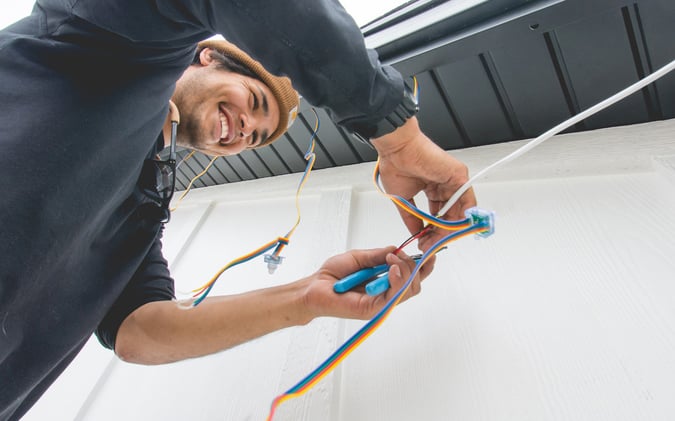
- The technician inspects the affected run, replaces whatever failed, and tests the section to confirm colors, patterns, and schedules are all working again.
That's a different process from an app reset, since this one puts an actual person on the calendar instead of resolving anything remotely.
What's Covered and What Might Cost You
Cost comes up during the same call that schedules the visit, not as a surprise afterward. The dealer already knows whether that address is still inside its minimum one-year labor window, so they can say upfront whether the visit is free or carries a labor fee before a technician ever gets sent out. Parts themselves are never in question, since those stay covered under the lifetime product warranty no matter how old the system is; the warranty coverage breakdown is the place to go for the full mechanics of what that covers.
Why Requesting a Repair Early Beats Waiting It Out
A single dark bulb rarely stays a single dark bulb for long if the underlying cause is a connection rather than the bulb itself, and putting off a request just gives it more time to spread. It's also worth checking whether one dead light can take out the rest of its section before assuming a whole run needs replacing rather than one repair.
In short: the form takes a few minutes, the local dealer takes it from there, and parts are covered regardless of the system's age. There's rarely a good reason to let a dark section sit through an entire season while it gets put off.
Frequently Asked Questions
My Trimlight is completely unresponsive. Is that a repair or a reset?
Start with a reset. Unresponsive lights or a frozen app are almost always connection issues, and a soft or hard reset at the controller resolves most of them without needing a repair request.
Can I fix a damaged channel or bulb myself?
It's not recommended. The channel and wiring are installed as a system, and a repair request gets a trained technician handling it rather than risking further damage.
Will I be charged for a repair?
Parts are always covered under the lifetime product warranty. Labor is free during the dealer's minimum one-year labor coverage and may carry a fee after that.
How long does a repair typically take once I submit a request?
The dealer reaches out directly after the form is submitted to gather details and schedule a visit, so timing depends on their local scheduling rather than a fixed turnaround.
Does it matter which dealer originally installed my system?
No. The repair request goes to whichever authorized dealer currently services that address, even if a different dealer handled the original installation.