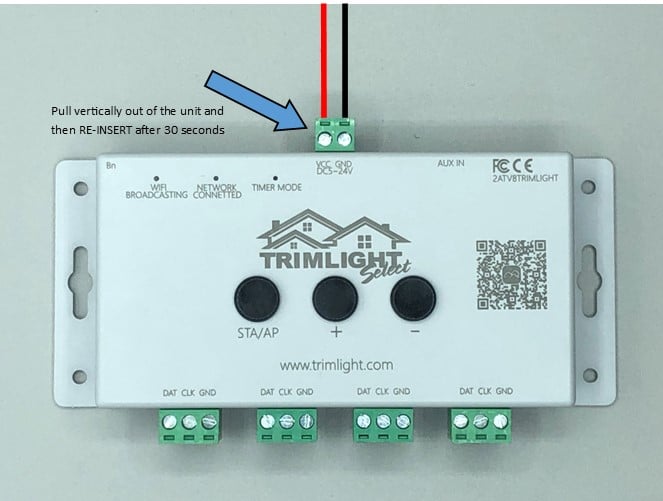
Locate the small green power block at the top of the Trimlight Edge controller. This connector is attached to the red and black power wires and supplies power to the controller. Carefully pull the green block vertically out of the unit. Hold the green connector itself when removing it rather than pulling directly on the wires, which could loosen or damage the connection.
Leave the controller unplugged for at least 30 seconds and up to one full minute. This gives the controller enough time to completely power down and clear its temporary connection. After the waiting period, carefully reinsert the green block into the same connection point at the top of the controller. Make sure it is properly aligned and seated securely.
Once the controller has been reconnected to power, allow it a few moments to restart and reconnect to the network. Force close the Trimlight app on your mobile device so it is no longer running in the background. Then reopen the app to refresh its connection to the controller and Wi-Fi network.
A soft reset does not erase your saved patterns, schedules, or other system settings. It simply restarts the controller and may resolve temporary communication or connection issues. After reopening the app, test the system by selecting a pattern, changing a color, or turning the lights on and off. If the controller still does not appear in the app or reconnect to the network, additional troubleshooting may be required.